 |    | |
Home > Online Help > Video Converter > MOV Converter
This tutorial explains how easily can convert your WEBM files to MOV format with just couple of clicks.
If you want to convert your WEBM files, or DVDs into MOV video format. Program4Pc has the fastest and simplest way to convert your WEBM. Using Program4Pc's MOV Converter, you can convert your video to MOV and even extract audio from any movie and save it to MP3 and WAV files. If you convert WEBM to AVI, 3GP, or MP4, you will be able to watch it on Nokia and Samsung phones, iPods and Sony PSPs. This multifunctional software will help you to not only convert video, audio, and DVDs but also rotate, trim, and merge videos, and more! Download this handy application for Windows for free and see for yourself video conversion is easy.
Step 1: Install the Program4Pc Video Converter on Your PC
Download Now
How to Convert WEBM to MOV
This tutorial explains how easily can convert your WEBM files to MOV format with just couple of clicks.
If you want to convert your WEBM files, or DVDs into MOV video format. Program4Pc has the fastest and simplest way to convert your WEBM. Using Program4Pc's MOV Converter, you can convert your video to MOV and even extract audio from any movie and save it to MP3 and WAV files. If you convert WEBM to AVI, 3GP, or MP4, you will be able to watch it on Nokia and Samsung phones, iPods and Sony PSPs. This multifunctional software will help you to not only convert video, audio, and DVDs but also rotate, trim, and merge videos, and more! Download this handy application for Windows for free and see for yourself video conversion is easy.
Step 1: Install the Program4Pc Video Converter on Your PC
Download Now





Step 2: Run the Video Converter and Choose WEBM
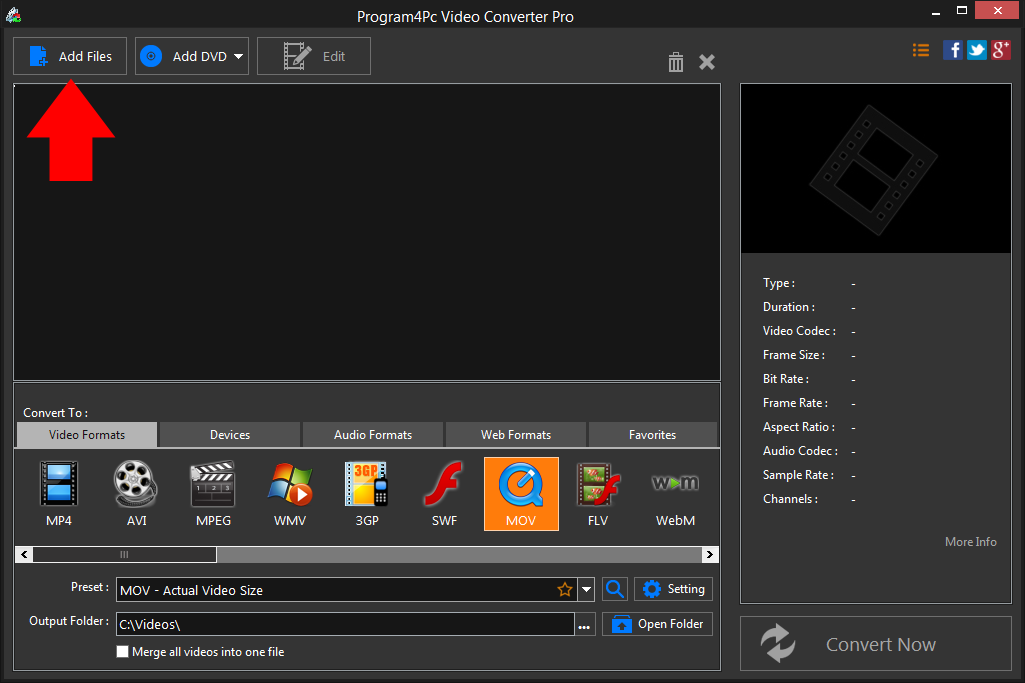
 Open Program4Pc Video Converter and click the Add Files button to select videos for conversion. If the original video source is DVD, click the Add DVD button instead.
 Step 3: Choose MOV Preset
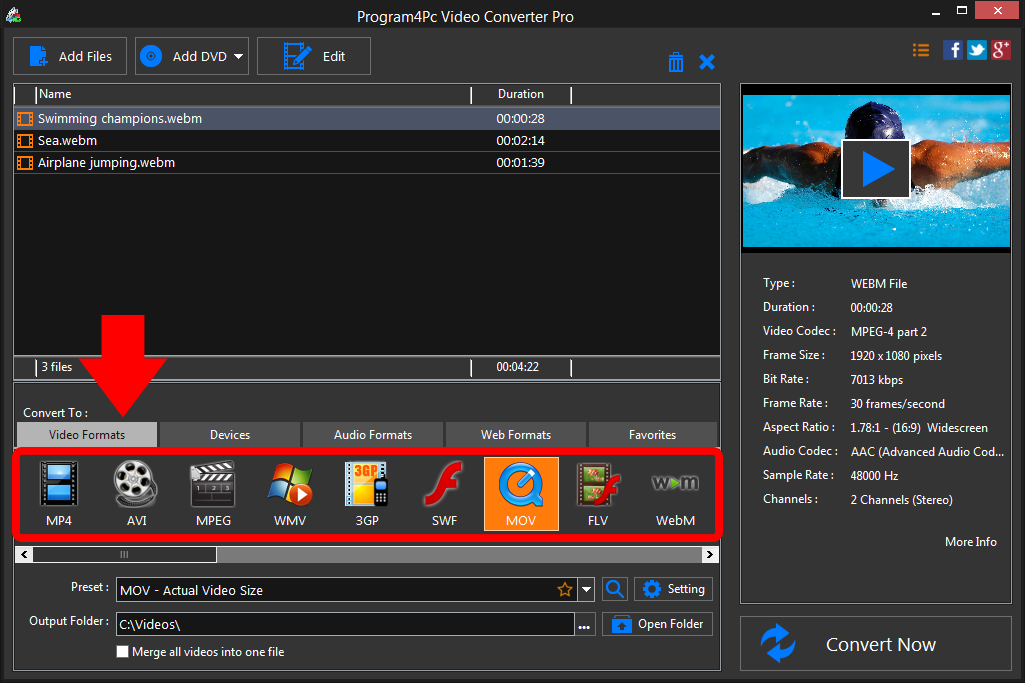
In the lower part of the video converter program, select the MOV format and the preset that best suits your needs. Click the Setting button to manually adjust the frame size, bit rate, and more if you wish. Step 4: Start Converting MOV Videos
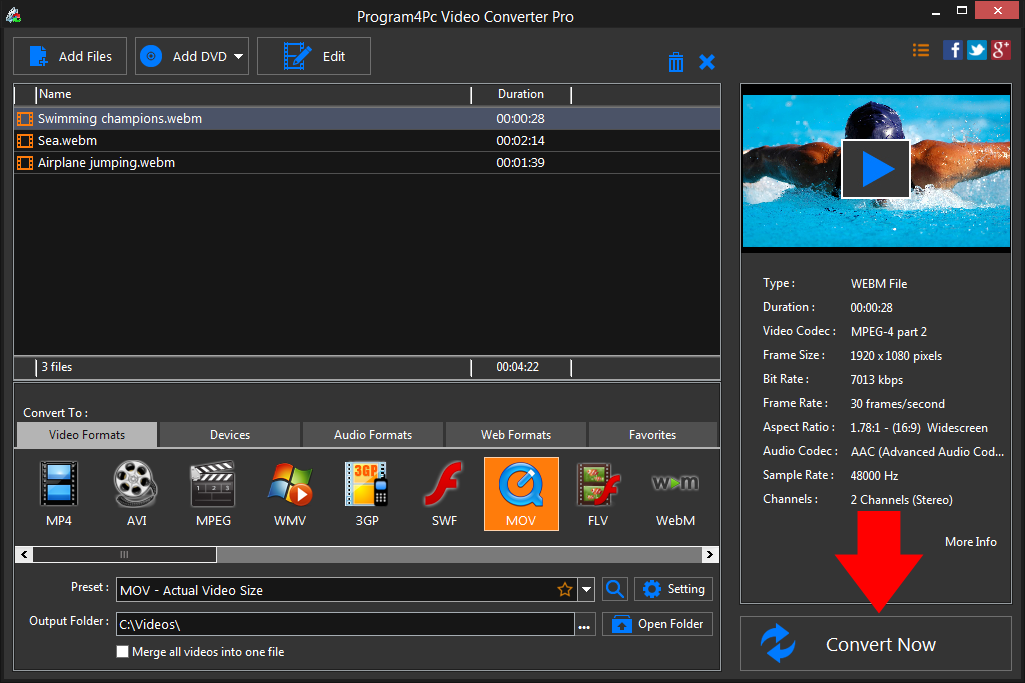
Choose the folder in which you want to place the converted files in the Output Folder line and click Convert Now to start processing. It can take from one to several minutes, depending on the file size and the number of files you transfer.Program4Pc Video Converter creates the new file in the chosen format automatically. Once your video has been converted to MOV, the folder containing your newly converted video can be opened to see the result and enjoy videos.
That's it!
And that's all about using Program4Pc software for converting video from WEBM to any desired format! Now, anytime you want to convert WEBM video to MOV video formats, just run Program4Pc Video Converter and follow these steps.
You should know that by using Program4Pc Video Converter you will also find a reverse way on how to convert MOV to WEBM format.
Download Video Converter
And that's all about using Program4Pc software for converting video from WEBM to any desired format! Now, anytime you want to convert WEBM video to MOV video formats, just run Program4Pc Video Converter and follow these steps.
You should know that by using Program4Pc Video Converter you will also find a reverse way on how to convert MOV to WEBM format.
See what else Program4Pc Video Converter can do for you:
- Convert WEBM to MP4
- Convert WEBM to AVI
- Convert WEBM to MPEG
- Convert WEBM to WMV
- Convert WEBM to 3GP
- Convert WEBM to SWF
- Convert WEBM to FLV
- Convert WEBM to M2TS