 |    | |
Home > Online Help > Video Converter > DV Converter
This tutorial explains how easily can convert your WEBM files to DV format with just couple of clicks.
With Program4Pc Video Converter, you can convert video from WEBM to DV, AVI, WMV, MOV, MP3, and many other popular video and audio formats. Plus, the program can rip unprotected DVDs and convert VOB DVD files to other video formats.
Don't know how to convert DV video? Download Program4Pc's DV Converter and follow this step-by-step guide.
Step 1: Get Program4Pc's DV Converter
Download Now
How to Convert WEBM to DV
This tutorial explains how easily can convert your WEBM files to DV format with just couple of clicks.
With Program4Pc Video Converter, you can convert video from WEBM to DV, AVI, WMV, MOV, MP3, and many other popular video and audio formats. Plus, the program can rip unprotected DVDs and convert VOB DVD files to other video formats.
Don't know how to convert DV video? Download Program4Pc's DV Converter and follow this step-by-step guide.
Step 1: Get Program4Pc's DV Converter
Download Now





Step 2: Add WEBM Files to the Program
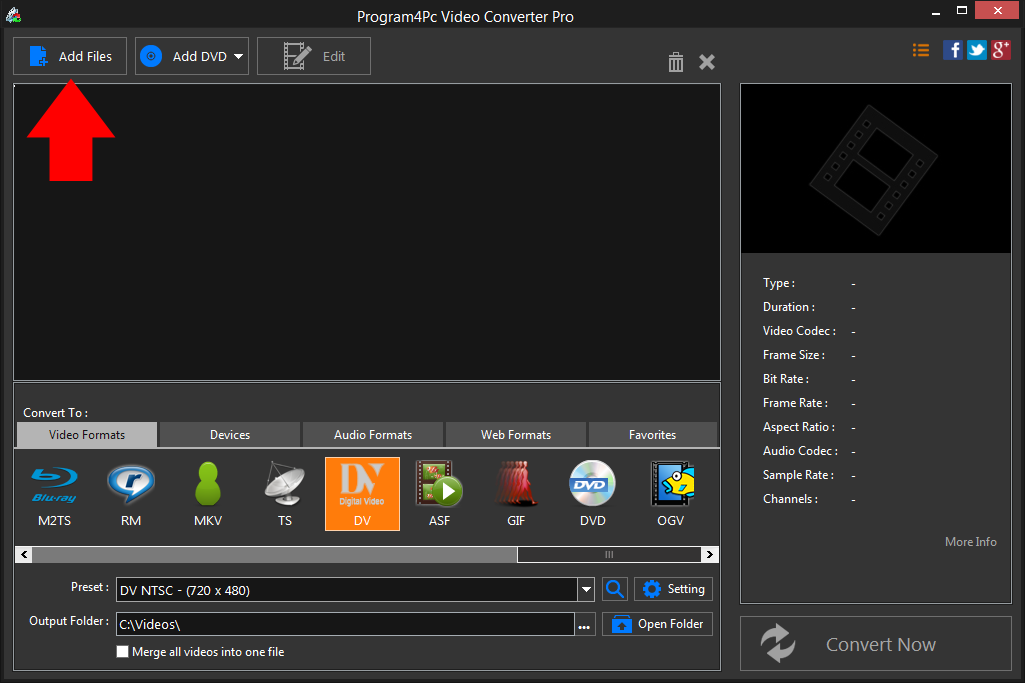
 Click Add Files to add the video or videos that you want to convert to DV or any other format. With Program4Pc Video Converter you can convert your whole media (video) library by defining the parameters manually or automatically.
 Step 3: Choose Your Output Format
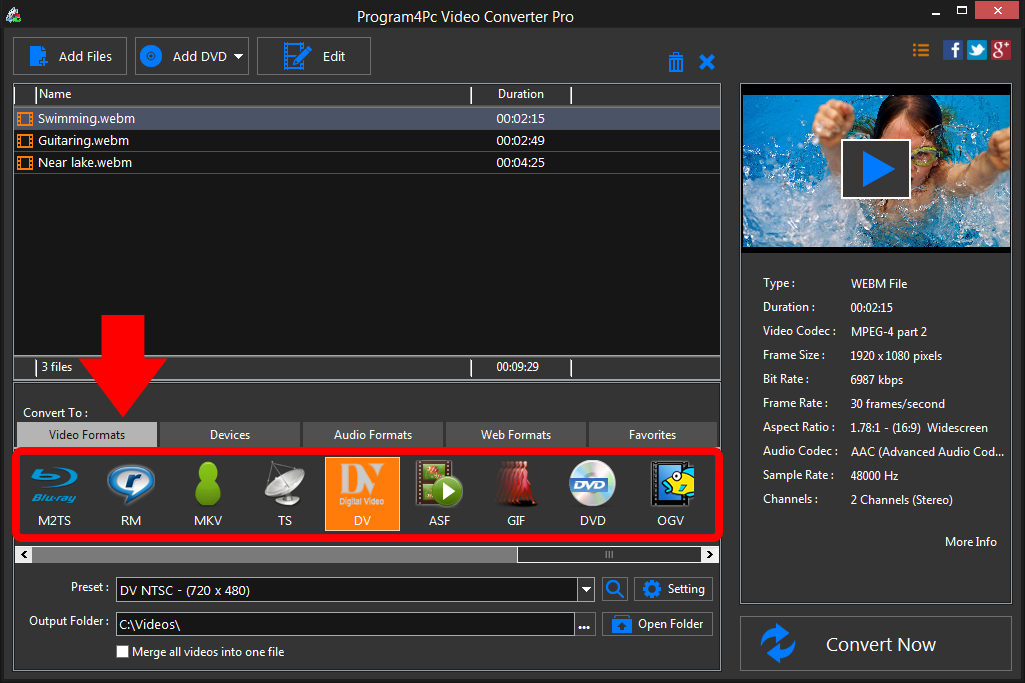
In Convert To list at the bottom of the program interface, select the appropriate video format or device preset. You can find the most popular format presets under Preset drop-down menu. If you want to extract sound from your video, choose the desired audio format from the Audio Formats tab. Step 4: Convert Your File and Save It
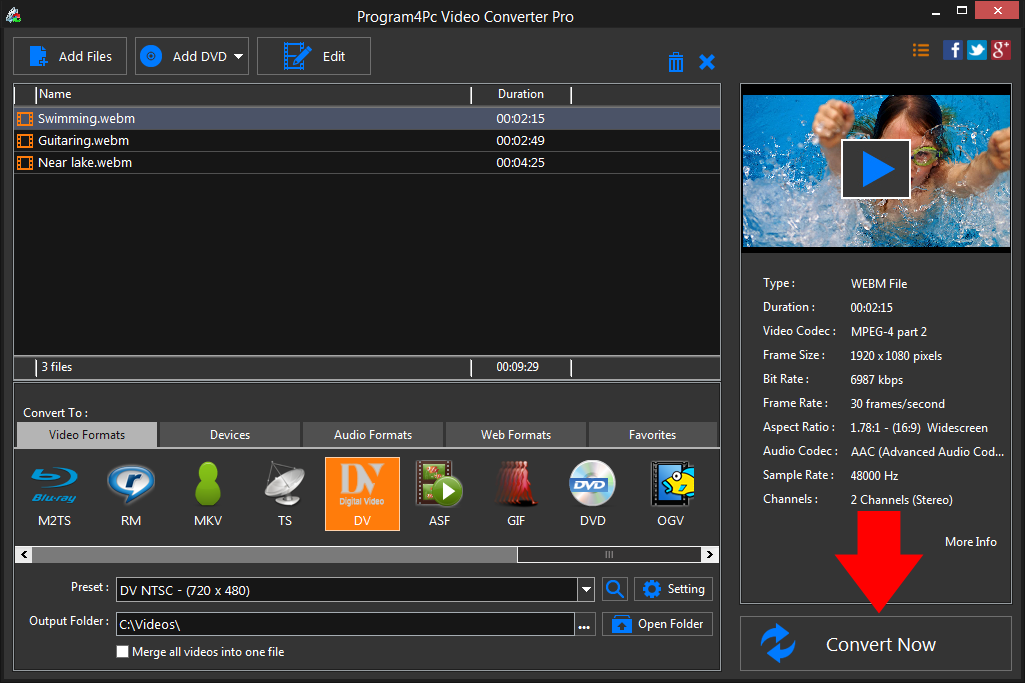
Specify the folder where the program should place your converted files. Finally, click the Convert Now button.As you can see, it's pretty easy to convert video to DV format using our Video Converter.
That's it!
That is the simplest way for converting DV video with our fast and easy DV converter! Now, whenever you want to convert any video to DV format and vice versa, just run the program and repeat these steps.
Download Video Converter
That is the simplest way for converting DV video with our fast and easy DV converter! Now, whenever you want to convert any video to DV format and vice versa, just run the program and repeat these steps.
See what else Program4Pc Video Converter can do for you:
- Convert WEBM to MP4
- Convert WEBM to AVI
- Convert WEBM to MPEG
- Convert WEBM to WMV
- Convert WEBM to 3GP
- Convert WEBM to SWF
- Convert WEBM to MOV
- Convert WEBM to FLV