 |    | |
Home > Online Help > Video Converter > 3GP Converter
This tutorial explains how easily can convert your WEBM files to 3GP format with just couple of clicks.
Got lots of WEBM video you'd like to convert? With the right software you'll be able to do it very quickly and easily. Try the Video Converter by Program4Pc to convert your WEBM files to 3GP format as well as to MOV, FLV, MKV, 3GP, DVD-compatible video, or to any other media format.
In this tutorial, we'll show you in detail how to use our fast and simple WEBM to 3GP Converter. You don't need to be familiar with WEBM software, video formats or settings, just run the converter, choose your video, select a ready-made preset, and convert your WEBM files.
Step 1: Download and Install the Video Converter
Download Now
How to Convert WEBM to 3GP
This tutorial explains how easily can convert your WEBM files to 3GP format with just couple of clicks.
Got lots of WEBM video you'd like to convert? With the right software you'll be able to do it very quickly and easily. Try the Video Converter by Program4Pc to convert your WEBM files to 3GP format as well as to MOV, FLV, MKV, 3GP, DVD-compatible video, or to any other media format.
In this tutorial, we'll show you in detail how to use our fast and simple WEBM to 3GP Converter. You don't need to be familiar with WEBM software, video formats or settings, just run the converter, choose your video, select a ready-made preset, and convert your WEBM files.
Step 1: Download and Install the Video Converter
Download Now





Step 2: Start the Program and Import Video
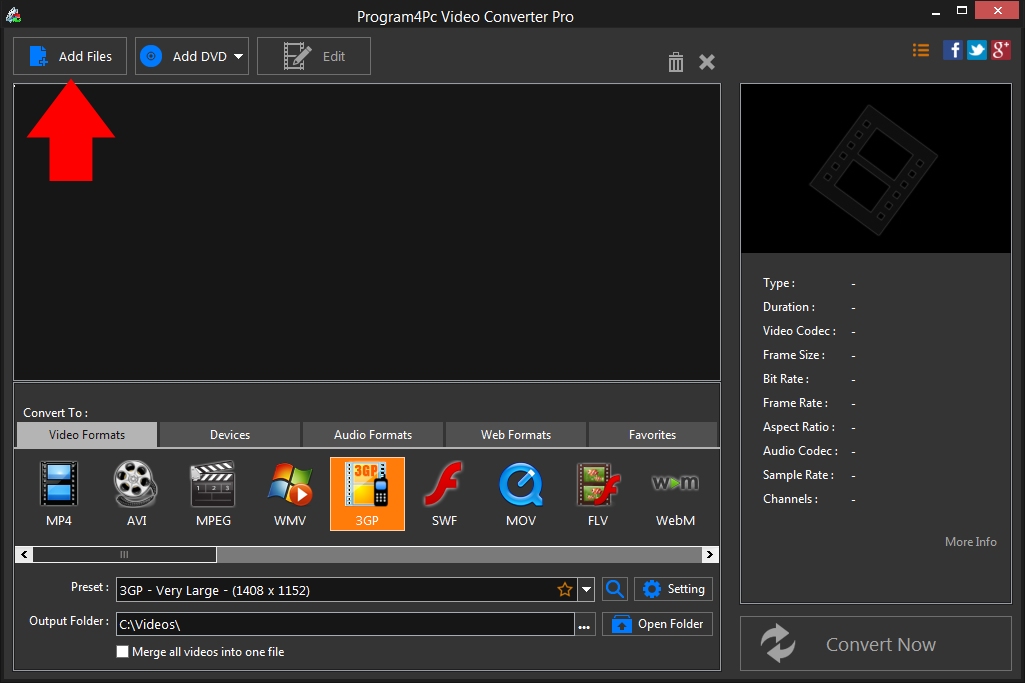
 Run Program4Pc Video Converter and click the Add Files button to import your video to the program and this conversion tool will convert it perfectly without quality loss.
 Step 3: Select an Output Preset
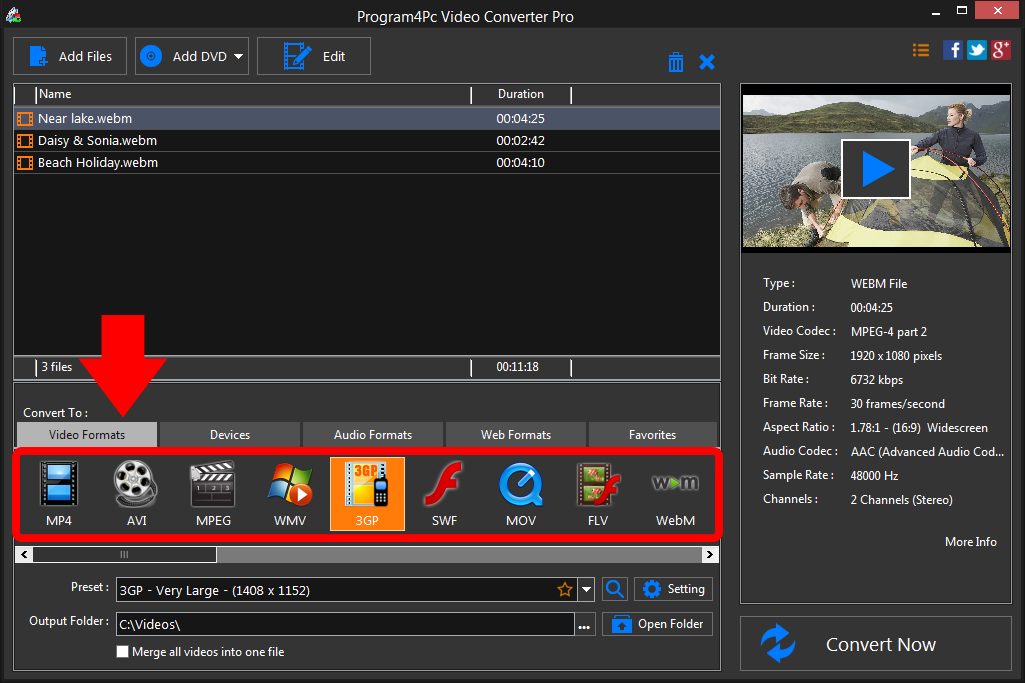
Choose the desired 3GP video format from the list. If you want to convert video for a particular mobile device, select Devices tab to compatible presets for devices and choose your specific device model. Step 4: Convert Your 3GP File and Save It
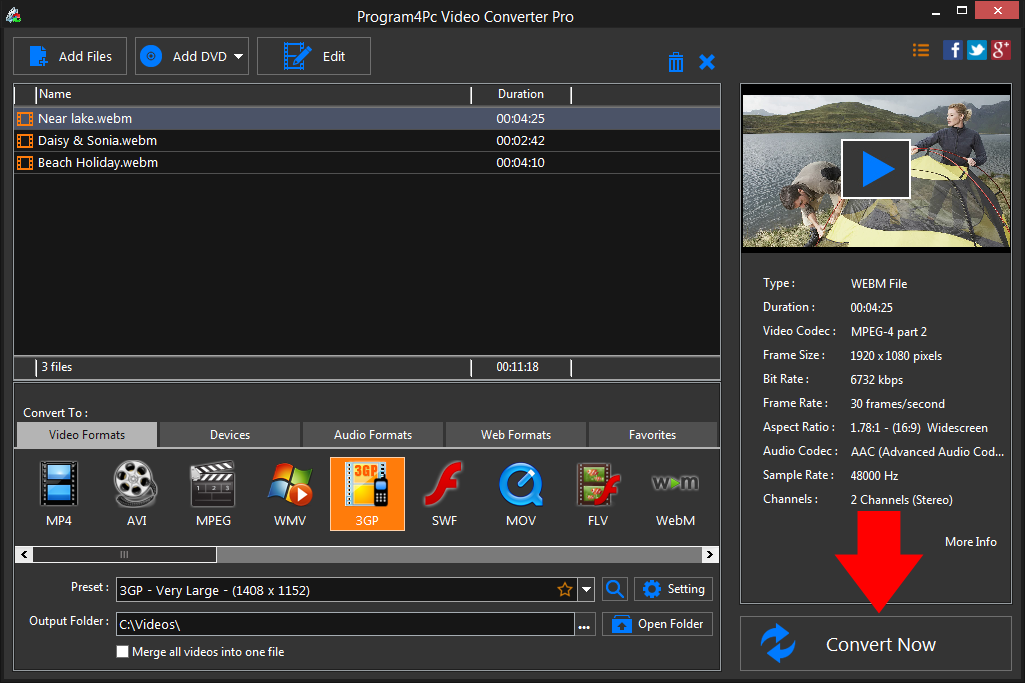
Choose the folder in which you want to place your converted files in the Output Folder line. Then click Convert Now to start the process, which may take from one to several minutes depending on the number of files you convert and their sizes.When the process is finished, all the videos will be saved and the folder containing the converted clips can be opened automatically.
That's it!
That is the simplest way for converting 3GP video with our fast and easy 3GP converter! Now, whenever you want to convert any video to 3GP format and vice versa, just run the program and repeat these steps.
Download Video Converter
That is the simplest way for converting 3GP video with our fast and easy 3GP converter! Now, whenever you want to convert any video to 3GP format and vice versa, just run the program and repeat these steps.
See what else Program4Pc Video Converter can do for you:
- Convert WEBM to MP4
- Convert WEBM to AVI
- Convert WEBM to MPEG
- Convert WEBM to WMV
- Convert WEBM to SWF
- Convert WEBM to MOV
- Convert WEBM to FLV
- Convert WEBM to M2TS