 |    | |
Home > Online Help > Video Converter > GIF Converter
This tutorial explains how easily can convert your WEBM files to GIF format with just couple of clicks.
If you want to convert videos from formats such as MP4, MOV, FLV, VOB, WEBM, and 3GP to GIF, or convert GIF to WEBM, AVI, MP4, FLV, MPEG, or other formats, you need a simple but powerful GIF Converter. Program4Pc Video Converter is Windows software that enables you to transfer video and audio files between more than 300 different media formats and popular mobile devices, including Android smartphone and tablets, Apple iPod, iPhone and iPad, Nokia, Samsung, PSP and etc.
Download Program4Pc Video Converter and transfer your videos to GIF or any other format in just a few minutes.
Step 1: Install Program4Pc WEBM to GIF Converter
Download Now
How to Convert WEBM to GIF
This tutorial explains how easily can convert your WEBM files to GIF format with just couple of clicks.
If you want to convert videos from formats such as MP4, MOV, FLV, VOB, WEBM, and 3GP to GIF, or convert GIF to WEBM, AVI, MP4, FLV, MPEG, or other formats, you need a simple but powerful GIF Converter. Program4Pc Video Converter is Windows software that enables you to transfer video and audio files between more than 300 different media formats and popular mobile devices, including Android smartphone and tablets, Apple iPod, iPhone and iPad, Nokia, Samsung, PSP and etc.
Download Program4Pc Video Converter and transfer your videos to GIF or any other format in just a few minutes.
Step 1: Install Program4Pc WEBM to GIF Converter
Download Now





Step 2: Choose a Video for Conversion
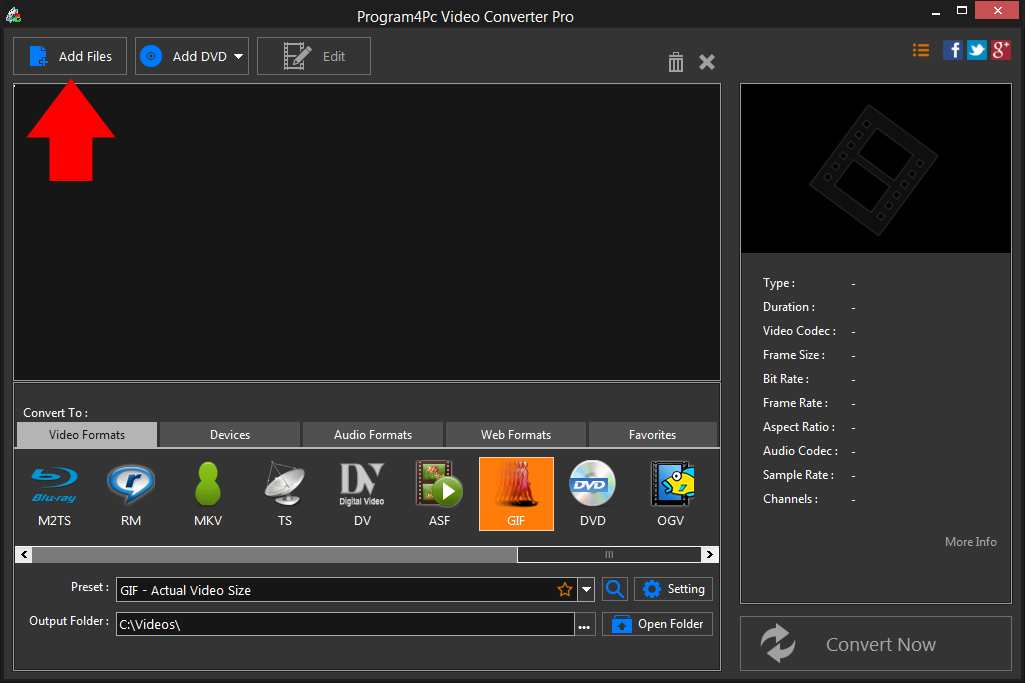
 Click the Add Files button and choose the files for conversion in the new window or drag-n-drop them into the program. Your video files will be added to the video converter file list.
 Step 3: Choose a Preset for GIF Video
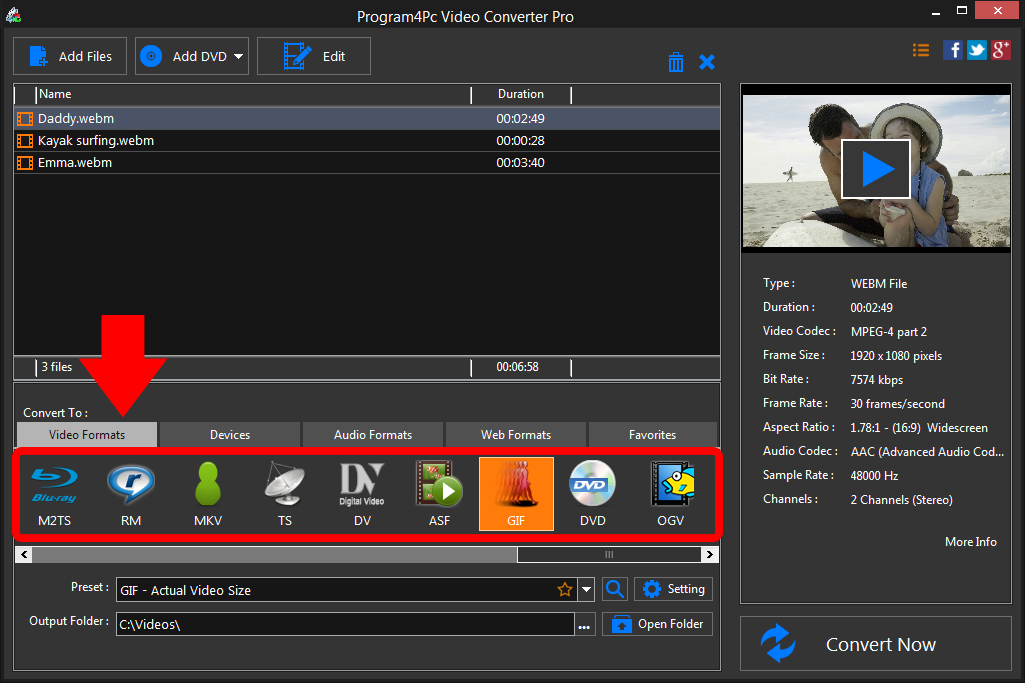
To choose an output file format, in the lower part of the Video Converter interface click on output format you like. From the Preset option, you can select the quality and resolution that best suits your needs. If you want to convert WEBM file to a format compatible with PSP, iPad, iPhone, iPod or other portable devices, go to Devices tab and choose the specific device from the list. Step 4: Convert Video to GIF
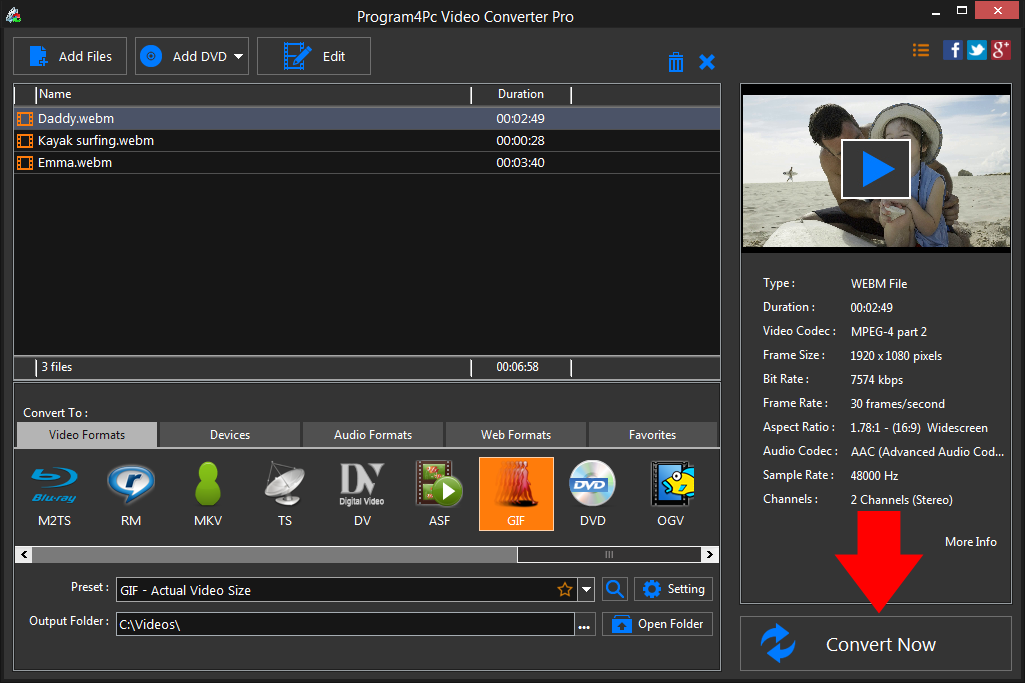
In the Output Folder field, specify the folder where the converted files should be placed.Finally, click the Convert Now button. The conversion process will start immediately.
That's it!
And that's all about using Program4Pc software for converting video from WEBM to any desired format! Now, anytime you want to convert WEBM video to GIF video formats, just run Program4Pc Video Converter and follow these steps.
You should know that by using Program4Pc Video Converter you will also find a reverse way on how to convert GIF to WEBM format.
Download Video Converter
And that's all about using Program4Pc software for converting video from WEBM to any desired format! Now, anytime you want to convert WEBM video to GIF video formats, just run Program4Pc Video Converter and follow these steps.
You should know that by using Program4Pc Video Converter you will also find a reverse way on how to convert GIF to WEBM format.
See what else Program4Pc Video Converter can do for you:
- Convert WEBM to MP4
- Convert WEBM to AVI
- Convert WEBM to MPEG
- Convert WEBM to WMV
- Convert WEBM to 3GP
- Convert WEBM to SWF
- Convert WEBM to MOV
- Convert WEBM to FLV