 |    | |
Home > Online Help > Video Converter > ASF Converter
This tutorial explains how easily can convert your WEBM files to ASF format with just couple of clicks.
If you want to convert videos from formats such as MP4, MOV, FLV, VOB, WEBM, and 3GP to ASF, or convert ASF to WEBM, AVI, MP4, FLV, MPEG, or other formats, you need a simple but powerful ASF Converter. Program4Pc Video Converter is Windows software that enables you to transfer video and audio files between more than 300 different media formats and popular mobile devices, including Android smartphone and tablets, Apple iPod, iPhone and iPad, Nokia, Samsung, PSP and etc.
Download Program4Pc Video Converter and transfer your videos to ASF or any other format in just a few minutes.
Step 1: Download WEBM to ASF Converter
Download Now
How to Convert WEBM to ASF
This tutorial explains how easily can convert your WEBM files to ASF format with just couple of clicks.
If you want to convert videos from formats such as MP4, MOV, FLV, VOB, WEBM, and 3GP to ASF, or convert ASF to WEBM, AVI, MP4, FLV, MPEG, or other formats, you need a simple but powerful ASF Converter. Program4Pc Video Converter is Windows software that enables you to transfer video and audio files between more than 300 different media formats and popular mobile devices, including Android smartphone and tablets, Apple iPod, iPhone and iPad, Nokia, Samsung, PSP and etc.
Download Program4Pc Video Converter and transfer your videos to ASF or any other format in just a few minutes.
Step 1: Download WEBM to ASF Converter
Download Now





Step 2: Add WEBM Files to the Program
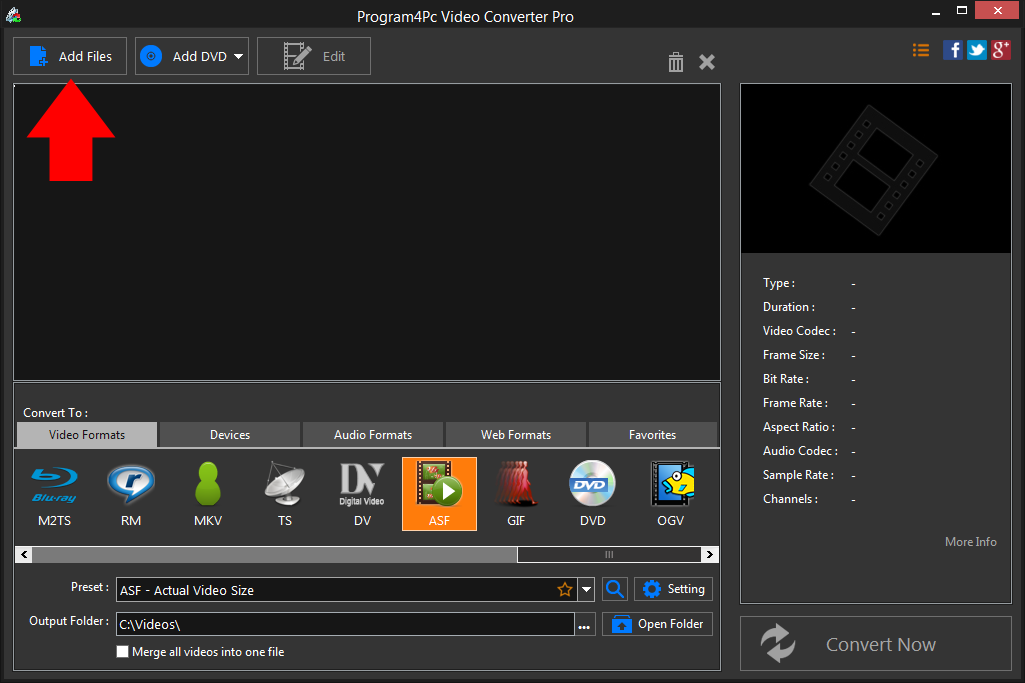
 Run Program4Pc Video Converter and click the Add Files button to import your video to the program and this conversion tool will convert it perfectly without quality loss.
 Step 3: Specify the Output File Format
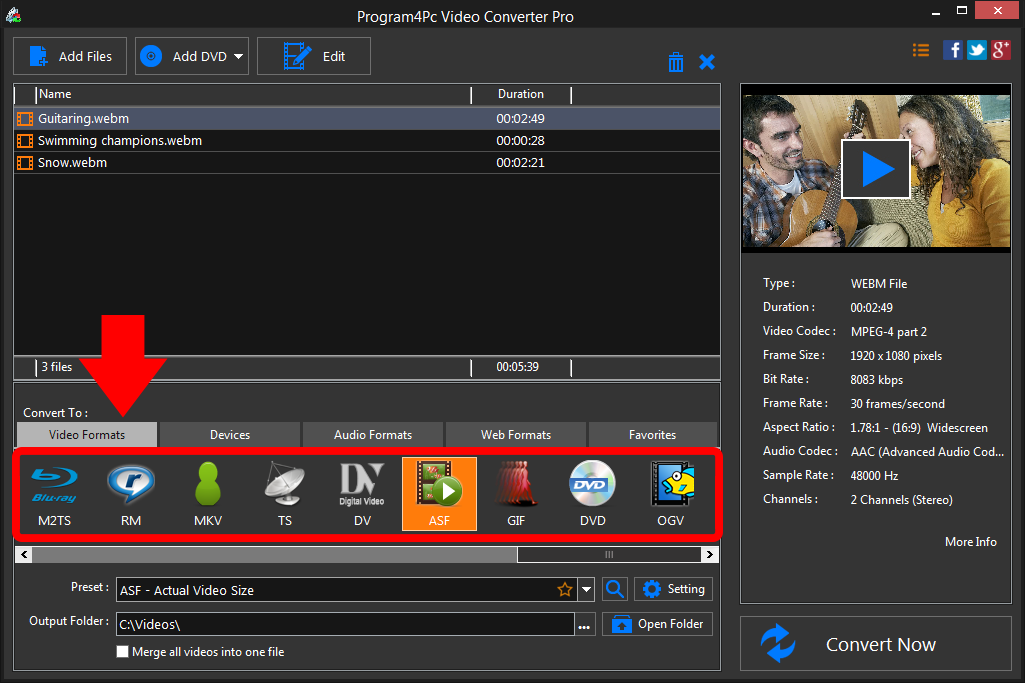
Select your required output format, then click on Preset drop-down menu to expand the ASF preset list and choose one of the ASF presets. If you want to convert your video to ASF for playback on a mobile devices, click Devices tab for presets to select your device's manufacturer and model from the list. Step 4: Start Converting ASF Videos
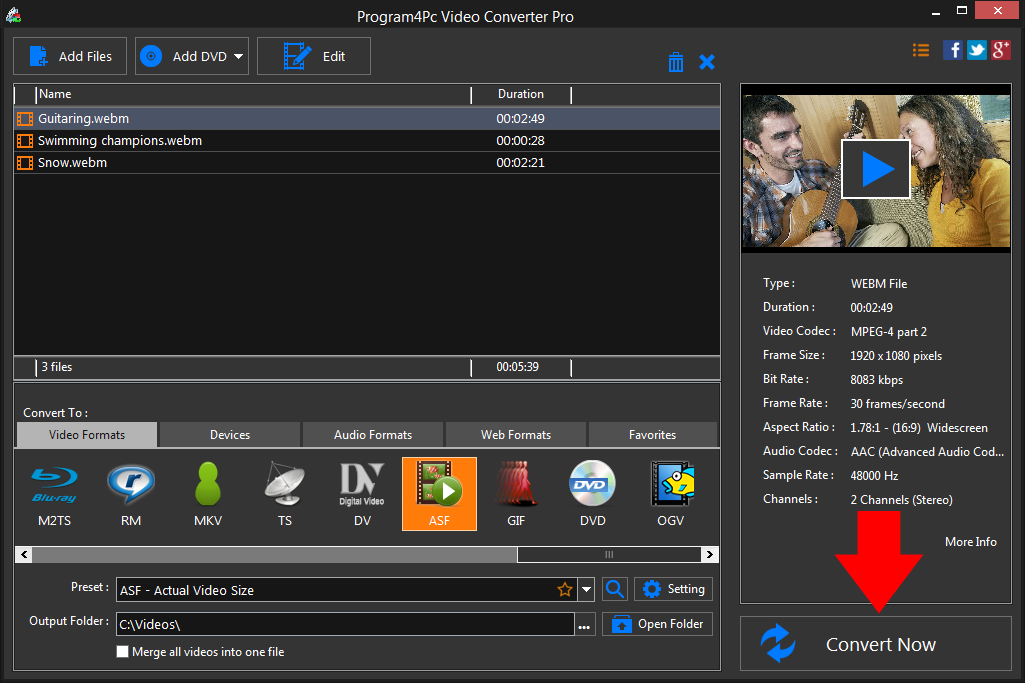
Specify the folder where the program should place your converted files. Finally, click the Convert Now button.As you can see, it's pretty easy to convert video to ASF format using our Video Converter.
That's it!
Now that you're finished, and that's all about using Program4Pc Video Converter as ASF Converter. Using this intuitive software, you can easily convert your favorite videos to ASF and also be enjoying them on your cell phone or tablet within minutes. Plus, you can convert ASF files back to any format too!
Download Video Converter
Now that you're finished, and that's all about using Program4Pc Video Converter as ASF Converter. Using this intuitive software, you can easily convert your favorite videos to ASF and also be enjoying them on your cell phone or tablet within minutes. Plus, you can convert ASF files back to any format too!
See what else Program4Pc Video Converter can do for you:
- Convert WEBM to MP4
- Convert WEBM to AVI
- Convert WEBM to MPEG
- Convert WEBM to WMV
- Convert WEBM to 3GP
- Convert WEBM to SWF
- Convert WEBM to MOV
- Convert WEBM to FLV