 |    | |
Home > Online Help > Audio Editor > Make iPhone Ringtone
This tutorial explains how easily you may create ringtone for iPhone with just couple of clicks.
Would like to have a unique ringtone for your iPhone and enjoy it whenever the phone rings? But MP3 is not a good format to use because it won't give you the best sound quality on iPhone. The solution is simple, you need to have the right audio format to be a ringtone for iPhone and Program4Pc DJ Audio Editor will provide you this option.
You don't need to be familiar with programming, audio formats or settings; just run the software, choose your audio, select a preset, click Save and that's it!
Read this quick guide to find out how to create ringtone specifically for iPhone (every generation and model).
Step 1: Install and Create Ringtone for iPhone
Download Now
How to Create Ringtone for iPhone
This tutorial explains how easily you may create ringtone for iPhone with just couple of clicks.
Would like to have a unique ringtone for your iPhone and enjoy it whenever the phone rings? But MP3 is not a good format to use because it won't give you the best sound quality on iPhone. The solution is simple, you need to have the right audio format to be a ringtone for iPhone and Program4Pc DJ Audio Editor will provide you this option.
You don't need to be familiar with programming, audio formats or settings; just run the software, choose your audio, select a preset, click Save and that's it!
Read this quick guide to find out how to create ringtone specifically for iPhone (every generation and model).
Step 1: Install and Create Ringtone for iPhone
Download Now





Step 2: Start the Program and Open an Audio File
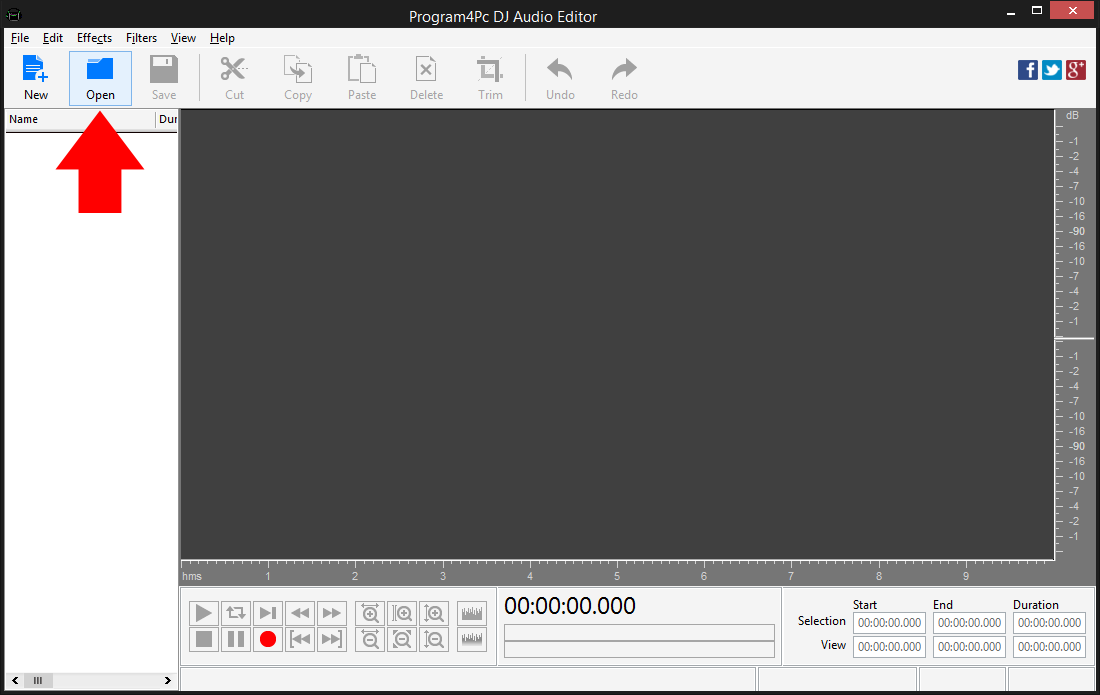
 Click the Open button and choose the audio file in the new window or drag-n-drop it into the program. Your audio file will be added to the DJ Audio Editor file list.
 Step 3: Choose a Preset for Your Audio
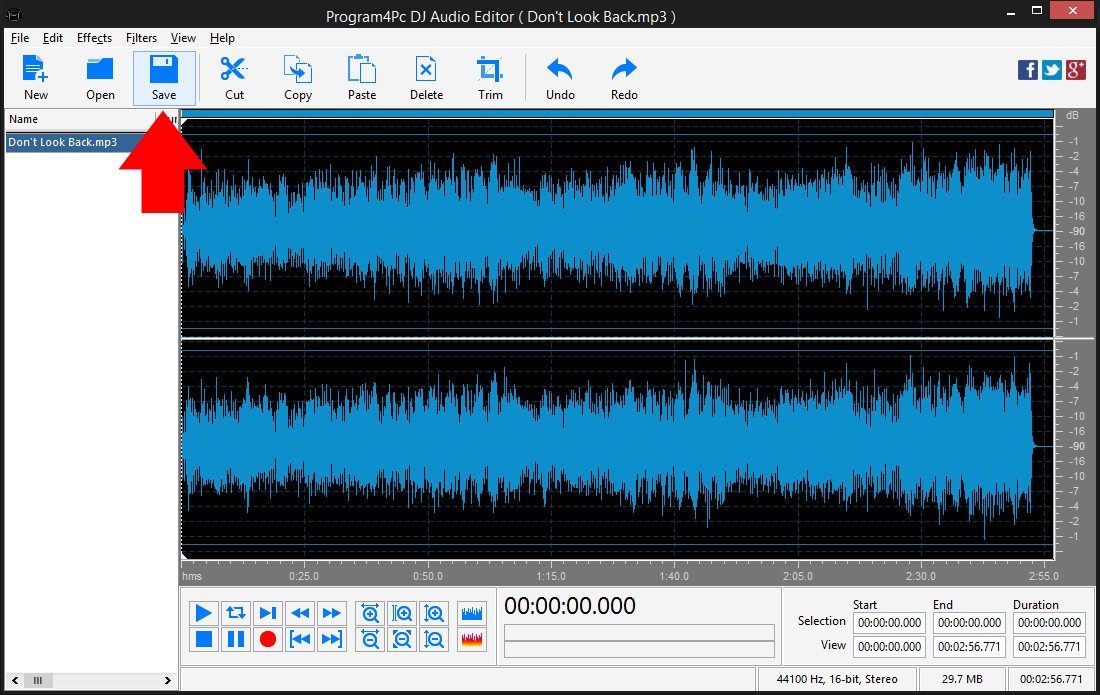
Apple iPhone requires special audio format for its ringtone to playback over loudspeaker. Click Save button on top of the DJ Audio Editor interface. Step 4: Save File to iPhone Ringtone Format
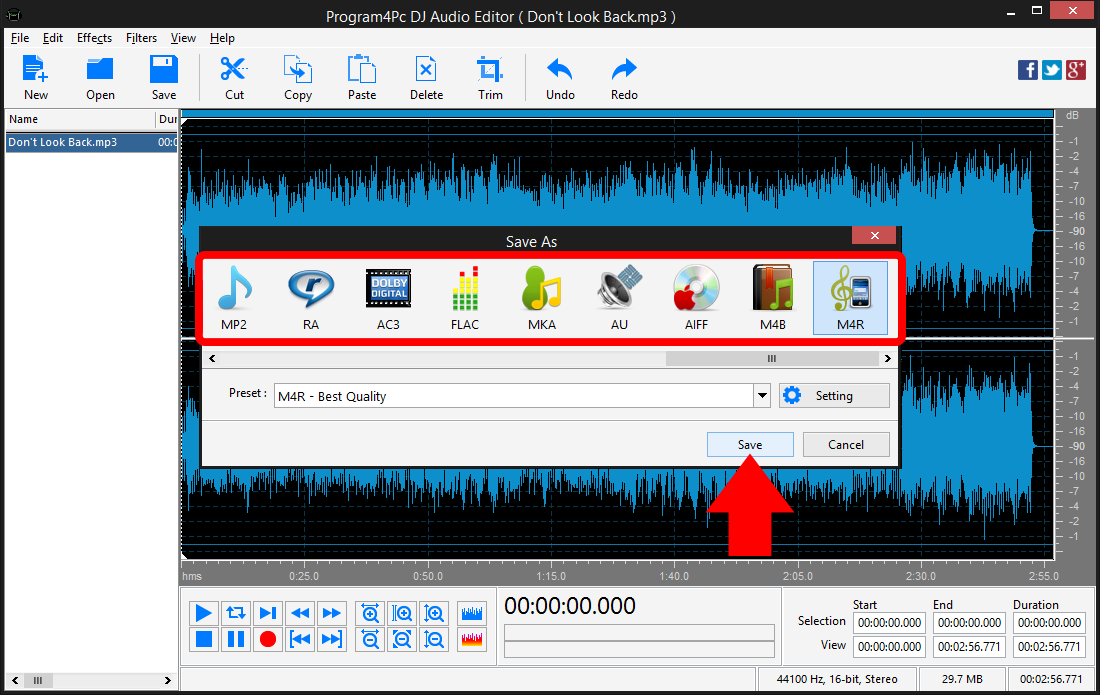
Select M4R audio format from the list. To have the best possible quality choose M4R - Best Quality from Preset drop-down menu. Click the Save button and specify the new output folder, or stay with the default folder.
That's it!
Now you have a unique ringtone ready to use on Apple iPhone with Program4Pc DJ Audio Editor, even Apple's latest technology iPhone 6 and iPhone 6 Plus are supported as well as other generations of iPhone. Creating personalized and professional ringtone for iPhone is easy and fun, and you will feel more amazing than ever before.
Download Audio Editor
Now you have a unique ringtone ready to use on Apple iPhone with Program4Pc DJ Audio Editor, even Apple's latest technology iPhone 6 and iPhone 6 Plus are supported as well as other generations of iPhone. Creating personalized and professional ringtone for iPhone is easy and fun, and you will feel more amazing than ever before.
See what else Program4Pc Audio Editor can do for you:
- Edit audio file
- Trim audio file
- Merge audio files
- Edit audio CD tracks
- Apply effects on audio file
- Use filters on audio file
- Record audio
- Edit audio tag