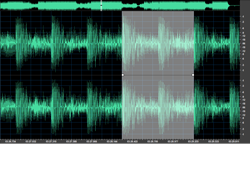
Cut, Join, Split, Trim, and Mix Audio Files
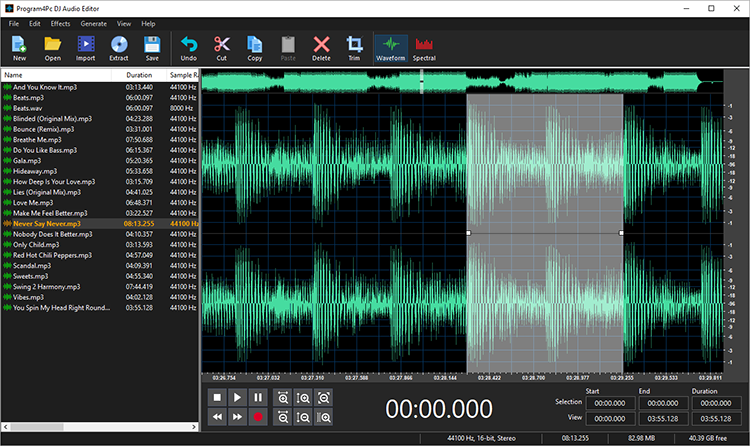
Personalizing audio files has never been easier with built-in Trim function,
simply select your desire area and remove unwanted parts in just couple of
clicks. There are several more functions available to edit audio and perform
a complete
audio editing and enhancing process including cut, join, split,
delete parts and mix audio files.


Apply Audio Filters and Effects
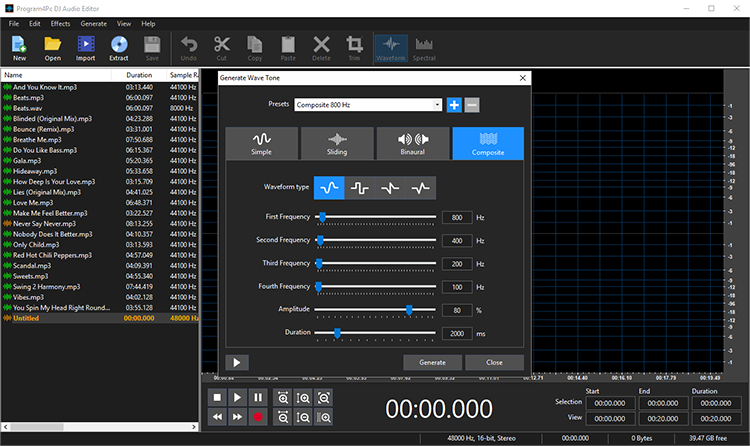
Select between various built-in effects including Amplify, Fade In/Out, Compressor, Normalize, Invert, Mute, Echo, Chorus, Flanger, Phaser, Reverb, Vibrato, Tempo and Pitch Shift, Reverse, Noise and Silence Generator.
DJ Audio Editor is also equipped with powerful and ready-to-apply filters for using on audio files such as Equalizer, Band Pass, Notch, Shelf, and Delete Silence which will make your audio editing experience more pleasant and fun with no hassle. You may go one step further and simply create and save custom preset for all effects and filters.

Record Audio from Any Input
Record audio data from various inputs like microphone, audio CDs,
broadcasts, programs, and other input lines on a sound card. With just one
click, you can specify bitrate, frequency and number of channels, edit
recorded audio files, apply your
desire filters and effects, and save to any audio format you like.
Rip and Convert Audio CD to Audio Format
DJ
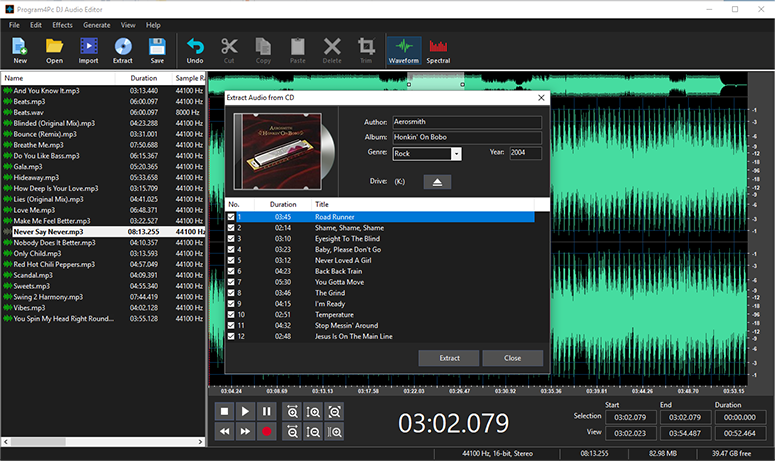
Audio Editor is equipped with an advanced CD Ripper tool which reads audio
tracks from your CDs and allows you to convert, edit and save them
professionally. Converted audio
files have the highest quality, same as their original source and ready to load
into audio editor for any additional editing process.
Save Audio in All Popular Formats
Edit any audio file and save to MP3, WAV, OGG, WMA, M4A, AAC, AMR, MP2, RA,
AC3, FLAC, MKA, AU, AIFF, M4B, M4R with DJ Audio Editor, also may create special output format and save it as your own preset. All
sound editing functions include Cut, Copy, Paste, Paste From File, Paste
Mix, and Paste Mix from File are available to manipulate and edit audio file in
seconds, powered by dedicated and fast processing engine which is compatible
and works on every computer.

Extract and Convert Video to Audio
Easily extract, convert and edit audio from video
file. You may have your favorite movie theme or video clip in audio format,
save it on PC or external hardware with few clicks and enjoy it everywhere.
By supporting any video format you will not miss your beloved video.
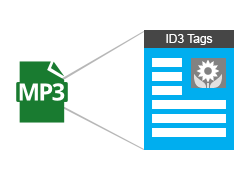
Edit Audio Tags and Update Song Information
DJ Audio Editor has a built-in audio tag editor which designed to be easy and intuitive to use. Simply add
audio tags including title, artist, album, genre, and year to your music or edit current audio tags. Even add, remove or replace cover art to organize your music collection.
Download
Buy
Now
30 Days Money Back Guarantee
More Features of DJ Audio Editor
 Feel the Real Audio File
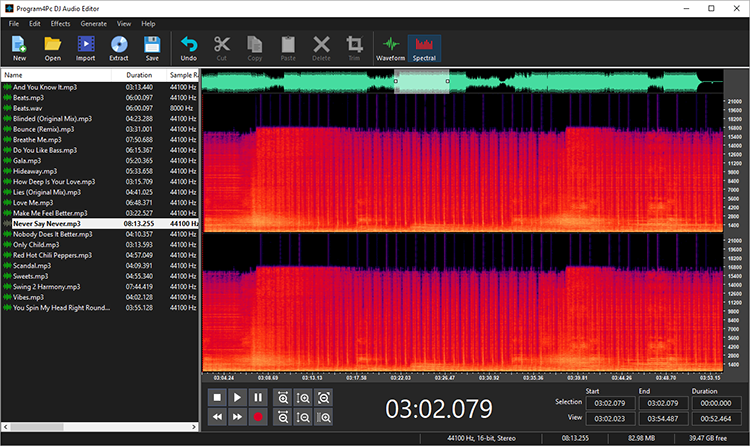
Display a waveform or spectral image of audio file makes your work faster. |
 Control
All Parameters Control
All Parameters
Change all parameters of effects and filters to create and personalize songs. |
 Support
Windows 10 Support
Windows 10
100% Compatible and works smoothly on Microsoft Windows 10 |
 Never
Lose Anything Never
Lose Anything
Keep history events so you can easily undo any action. |
Edit Audio Files Professionally
Most of us have some deep connection with music, and while many are just
laid back and take songs as they are sung, other like to experiment and tinker
with these sounds. But we can’t all have a professional recording studio, but
you can have the DJ Audio Editor. This
easy-to-use and well-organized audio and music editing software
will let you explore your favorite songs and sounds in ways which you would
never have imagined.
You no longer need huge mansions full of equipment to
alter music, you can create and edit audio file with professional result. You
can add or detract hundreds of audio effects to your sound files also can put
several of these effects together to create your own unique effects and
personalize your favorite songs much more then ever.
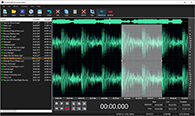
Music and Audio Editor ProgramBut, you might say, all these features are
available in other audio editor programs, so why should this one be any
different than the rest? Well, this audio editor
supports practically every audio format that exists. The incredible filters
allow you to add endless innovation to music creating and design, and also
displaying a waveform or spectral image of audio file makes your work faster.
Not only this, you are not confined to any one format after the editing, you can
save the file you just edited in a vast array of formats so that your audio
files are playable everywhere on any system. And all these features are getting
completed with multi track editing which means you may edit several audio files
simultaneously .
Main Features of DJ Audio Editor:
- Professionally open, create, edit and save audio files. It’s as simple as that!
- Waveform or spectral window display of the audio file gives you a visual idea of what exactly you are doing.
- The biggest advantage of this audio editor software is you can save files in absolutely any audio format.
- The DJ Audio Editor is equipped with hundreds of filters and effects and now you may go further and create your own preset.
- Cut, join, trim, split and mix audio files are available with couple of clicks.
- Now you can edit multi audio files in the same time in a single program and have full control over them.
- Rip audio CD and bring all audio tracks to DJ Audio Editor for further editing and saving to your preferred format.
- Record audio from any input source, whether microphone, audio CD or other input lines on sound card.
- Convert video to audio (extract audio from video and save it separately).
- Powerful 10 bands equalizer is provided to make your audio editing enhancement smoother then before.
- Better control on output audio with Gain volume and Balance volume for playback and recording channels
- Edit audio tags and update song information including title, artist, album, genre, year, and cover art easily.
- Supporting Audio format up to 192000Hz 32Bit is offering the highest possible audio quality.
Download
Buy Now
30 Days Money Back Guarantee
|
Minimum System Requirements
- Supported OS: Windows 10, 8, 7
- Processor: 1 GHz or higher Intel or AMD compatible CPU
- .NET Framework 4.0
- Memory: 1 GB RAM
- Free Hard Disk Space: 100 MB or more
- Administrative permissions for program installation and activation
- Internet connection to activate
Supported Formats and Devices
Audio
AC3, AIF, AIFF, CAF, CDA, VOC, FLAC, AAC, M4A, M4B, MP3, MP2, MP1, MKA, MXF, APE, MPC, OGG, RAW, GSM, RA, AU, WAV, WV, WMA, OPUS, IRCAM, W64, PVF, PAF, NIST
Video
3GP, 3GPP, 3GP2, 3G2, 3GPP2, AVI, DIV, DIVX, DV, VOB, F4V, M4V, MKV, MPG, MPEG, DAT, MP4, MXF, DVR-MS, DVR, NSV, OGV, MOV, QT, RM, RMVB, TS, TP, TRP, WMV, ASF, WEBM, AMV
Audio
AIFF, AU, CAF, FLAC, IRCAM, MP3, NIST, OGG, PAF, PVF, RAW, VOC, W64, WAV
|
|
|