 |    | |
Home > Online Help > Audio Converter > Audio Tags Editor
This tutorial explains how easily you may edit audio tag with just couple of clicks.
ID3 tag information will be displayed on several programs and devices such as media players and juke box applications, portable music players, iPods and cellular phones. But sometimes we don't like them, and need to add, remove or change them in a way we like.
Audio Converter Pro has a built-in audio tag editor to help you add tags including title, artist, album, genre, and year to your music or edit current audio tags easily.
Step 1: Download Program4Pc Audio Converter
Download Now
How to Edit Audio Tags
This tutorial explains how easily you may edit audio tag with just couple of clicks.
ID3 tag information will be displayed on several programs and devices such as media players and juke box applications, portable music players, iPods and cellular phones. But sometimes we don't like them, and need to add, remove or change them in a way we like.
Audio Converter Pro has a built-in audio tag editor to help you add tags including title, artist, album, genre, and year to your music or edit current audio tags easily.
Step 1: Download Program4Pc Audio Converter
Download Now





Step 2: Choose an Audio File for Editing ID3 Tags
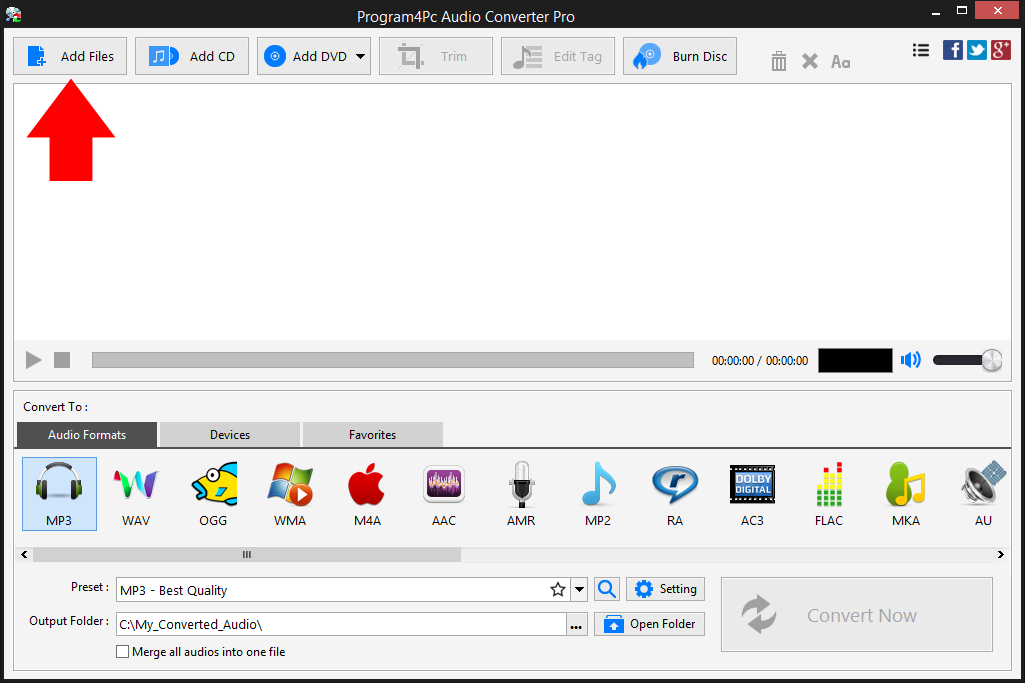
 Click Add Files and select the files you want to convert. If you want to work with audio CD and DVD then you will need to hit the Add CD and Add DVD buttons instead.
 As Program4Pc Audio Converter supports wide range of audio formats then you can convert audio to any format, as well as portable devices. Whichever audio file format you want to work with, Program4Pc software will do the job perfectly.
Step 3: Select an Audio File to Edit Its Tags
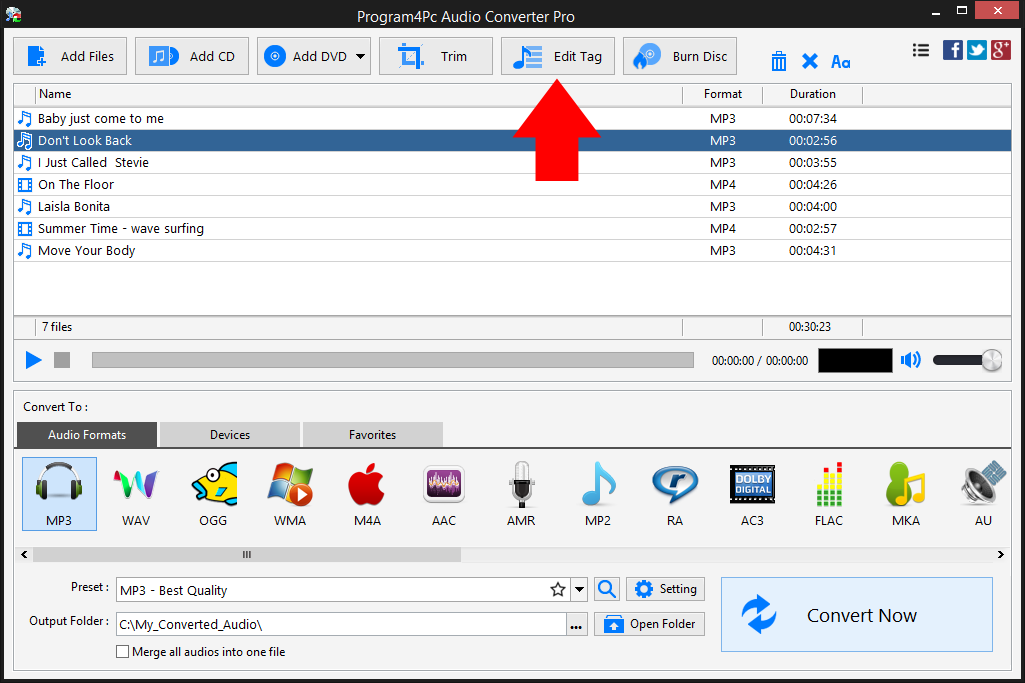
Select your audio file from the list and click the Edit Tag button on top of Audio Converter interface. Step 4: Edit Audio ID3 Tags

In the new window, add, remove or edit audio file information including title, artist, album, year, genre, copyright, and composer. Remove or replace cover art, even save it on your computer for your archive. Also add your personal comment to the music and create a very personalized audio file.
When you are done, click the Apply button, then Close. If you want to apply your changes on all audio files in your list, click the All to all files button.
Step 5: Save and Convert the Audio File
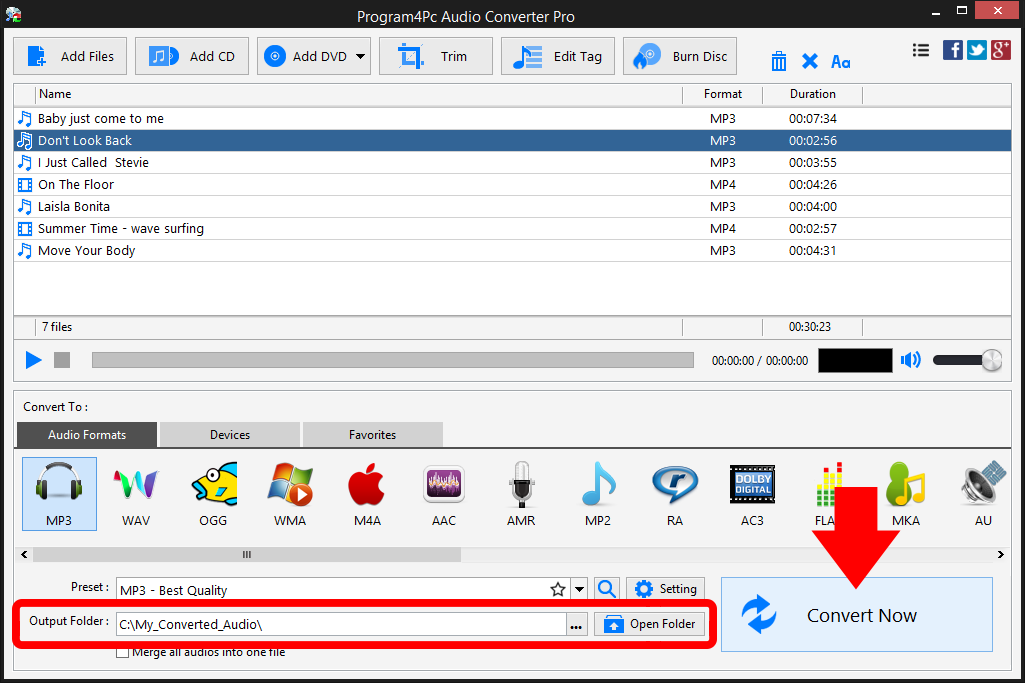
Choose output audio file format from lower part of the converter window. Then select desire quality and format setting from the Preset drop-down menu. You can also click on Setting button to have more parameters for output audio. Specify the folder where the program should place your converted files. Finally, click the Convert Now button.
As you can see, it's pretty easy to edit audio tags and convert audio to any other format using our Audio Converter.
That's it!
That is the simplest way for editing audio ID3 tags with our fast and easy audio converter! Now, whenever you want to change or add ID3 tags to audio file, just run Audio Converter program and repeat these steps.
Download Audio Converter
That is the simplest way for editing audio ID3 tags with our fast and easy audio converter! Now, whenever you want to change or add ID3 tags to audio file, just run Audio Converter program and repeat these steps.
See what else Program4Pc Audio Converter Pro can do for you:
- Convert audio file
- Rip audio CD
- Convert DVD's audio
- Trim audio file
- Merge audio files
- Create and burn an audio CD
- Create and burn MP3 CD / DVD
- Convert video to audio
- Create ringtone for iPhone